

You are viewing an old version of this page. View the current version.
Compare with Current View Page History
« Previous Version 4 Next »
https://help.myob.com/wiki/x/OBvnAQ
How satisfied are you with our online help?*
Just these help pages, not phone support or the product itself
Why did you give this rating?
Anything else you want to tell us about the help?
Beta Release Date: 10 September 2018
This is the release notes for the latest version of MYOB Practice Solutions for:
Australia:
Accountants Enterprise (AE) – MYOB AE 2018.1 (including Tax 6.46 SP1 and Tax 8.30 SP2)
Accountants Office (AO) – MYOB AO 2018.1
New Zealand:
Accountants Enterprise (AE) – MYOB AE 2018.1
Accountants Office (AO) – MYOB AO 2018.1
For Document Manager users
We recommend that you re-index your document store before installing this release if coming from an earlier version than (AU) 2017.2 (NZ) 2017.3.
It is not required if you’re upgrading directly from (AU) 2017.2 or 2017.3 or (NZ) 2017.3 or 2018.0 where you have already run the document re-index routine.
This process may take a number of days depending on the size of your document store. Refer to KB 23096 for further information.
Compatibility
(AE) Most MYOB AE products have been tested for SQL 2017 compatibility and have passed certification testing.
(AE) SQL Server 2017 is a 64-bit only application. Microsoft hasn’t released an SQL 32-bit version from SQL 2016 onwards.
If you’re running a 32-bit edition of SQL, you can’t upgrade to SQL 2017. However, MYOB offers an SQL Instance Migration service to update a 32-bit version of SQL to a new instance of SQL 2017 – contact your client manager for more information.
(AE) You’ll need a Windows 64-bit operating system if you want to install SQL 2017. You can’t install SQL 2017 on a Windows 32-bit operating system (Windows 10 32-bit, and Windows 8 or 8.1 32-bit).
(AO) MYOB AO products are not compatible with SQL 2017.
Since MYOB AO version 2017.2 was released in January 2018, MYOB AO is now supported on SQL Express 2014 32-bit.- (NZ) For New Zealand sites using AE Tax Manager integrated with MYOB AO Classic, SQL Express 2014 32-bit is the latest currently supported SQL technology. If you’d like to join a pilot program to use SQL 2016 or SQL 2017, send an email to betasupport@myob.com.
For important information about supported versions and known issues, refer to KB 39102.
The ELS forms and reports will be transitioning to PLS over the coming year.
Tax changes for multiple returns
Pre-fill Manager
The Pre-fill Manager homepage enables you to download pre-fill reports for individual clients using the Practitioner Lodgment Service (PLS). You can view these reports in PDF format, and then use this information to populate the pre-fill information into a client’s tax return.
For more information on this feature, including what data will be pre-filled into tax, see the Pre-fill Manager online help or press [F1].
Refer to 2018 Pre-fill availability on the ATO website to see when the information will be available.
Resolved Issues – MYOB
Printing
Estimate
UI (AE Only)
PLS errors
The following validation errors were corrected in Tax 2017 and 2018 for:
Individual returns
CMN.ATO.GEN.XBRL03
Message: A field contains invalid data (such as letters in numeric or date field)
Employment Termination Payments with no ABN and zero amounts will receive this error on [F3] validation.
Client Update
CMN.ATO.GEN.500125 (CUREL & CUADDR)
Message: Branch code must not be provided for Role Type “IT”
The branch code for ABN must not be provided when adding an income tax client
On 9 June 2018, the ATO fixed the Interposed Entity Election (IEE):
CMN.ATO.IEE.410233
Message: Election status year specified for IEE must be 2011 or later
Theedit test has been changed to allow for the year 2005 or later.
Known Issues – MYOB
The Tax Office copy PDF for the International Dealingsschedule(IDS) does not print Yes at question 12, and amounts do not print at question 21.
Known Issues – ATO
The following issues have no scheduled fix date:
2017 Interposed Entity Election (IEE) forms are rejected with:
CMN.ATO.IEE.410266
Message: Declaration must be complete
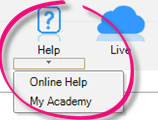
Select Help > My Academy at the top of the AE/AO screen to access our Accountants Enterprise/Office learning centre. Browse our extensive catalogue of free MYOB courses, to help you get the most out of your software.
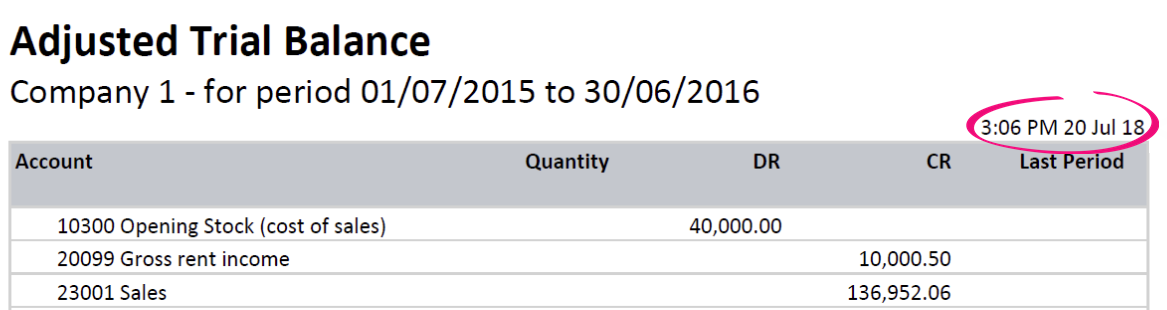
- We've added the current date and time to the Adjusted Trial Balance report:
- In MYOB AO, you can now tab to the Finish or Cancel button in the Create client wizard.
- In Practice Report Settings > Non-Transaction Data Preferences, we've fixed the Shareholders field. We've changed it from 'is Director of/has Director' to 'is Shareholder of/has Shareholder'.
- In the Manage Account window, when you tab through creating a new account, the cursor will move to the account code field, ready to add another account.
- You can make the Manage Client File Imports > Mappings window bigger (HOW?).If you open a second Mappings window, it will open to the default size, and won't remember any resizing you have done.
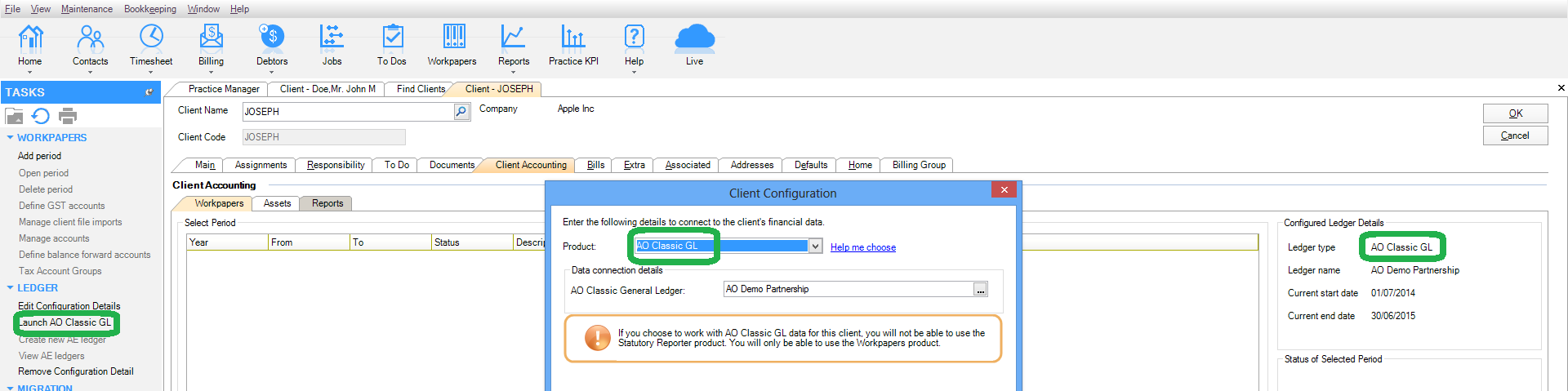
- When configuring a ledger to Client Accounting using one of our legacy modules (MAS, AO Classic GL or ACCOUNTS), a message was displayed stating 'Statutory Reporter will only work with data in AccountRight'. We've removed this part of the message as it's incorrect – Statutory Reporter works over AccountRight, Essentials, Connected Ledger and MYOB Ledger.
- In Client Accounting > Workpapers > Tasks, we've changed the wording of Launch AO GL to Launch AO Classic GL to match other references in the software.
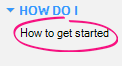
Select Tasks > How do I > How to get started in Client Accounting to see our new Client Accounting workflow help. Thisexplainscommonworkflows, and provides tips on how to use the system to maximise your productivity. This is in addition to our online help.
- We've removed redundant account groups from the Statutory Reporter mapping:
- Trade and other receivables and Inventories from the Non-current assets section
- Trade and other payables and Tax provision from the Non-current liabilities section.
- Accounts grouped under Other financial accounts will no longer trigger a "duplicate accounts" warning message.
- We've updated the default account group mapping for the standard MAS chart, to take account of Deferred Income / Expenditure and Losses brought forward for the Tax note.
- The Business Directory formatting has been fixed.
- We've corrected Minutes of a trust by removing extra total lines below Distribution of income.
- We have spilt the cover page from 3 paragraphs into 4:
Cover page - Custom paragraph for logo
Cover Page
Cover Page 02
Cover page 03
Cover Page 02 = Performace report / Financial statements
Cover Page 03 = For the year ended
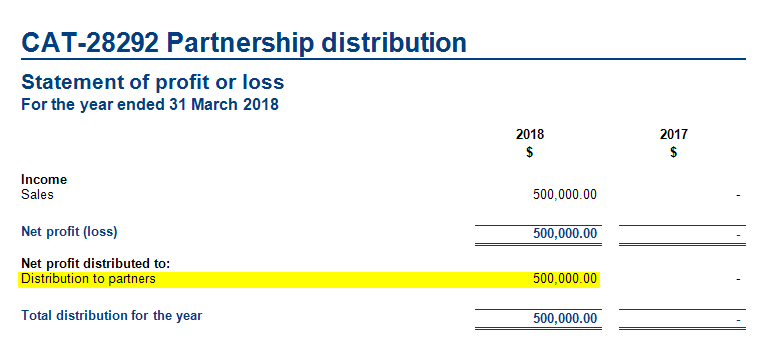
The user can now change either of the cover page paragraphs to title case instead of sentence case, by creating their own style set and changing the case of those paragraphs. - In the profit and loss statement, you can now choose to summarise profit distribution. To achieve this, create a custom group of beneficiaries in the account group mapping.
- The Solvency Certificate report will now print correctly (including the report header) if the Dividends Paid account group is zero.
- We've removed commas from the address field on the compilation report.
- In all reports, when displaying client name it now uses Mailing name by default. If Mailing Name doesn't exist, it will use:
- First Name, Last Name for individuals
- Pre Name, Main Name for organisations.
- We've made general improvements to Statutory Reporter formats.
When a user deselects the Property, Plant and Equipment note on the reports list, the detail from that note will now be displayed in the balance sheet.
Reports will now display the correct singular or plural wording for trustees and directors depending on the 'elected' checkbox ticked under non-transaction data (NTD).
The word “Accountants” has been removed from each of the footer paragraphs in practice reports.
We've updated the address field on the compilation report, so that Suburb, State and Postcode are on a single line.
The compilation report now uses partner's mailing name as a default. If no mailing name is available, it will use the partner's first name and last name.
We've made general improvements to the
Liability for accrued benefits note for SMSF.
Directors Declaration
We're now showing closing balance instead of movement amount in the Appropriation section of the Income Statement for some AccountRight files.
In the Assets Tax Schedule and Full Schedule reports, we have changed the wording in the Low Value Pool section from 'Note: Small business pool balances are for the full tax year' to 'Note: Low value pool balances are for the full tax year'.
The Minutes of Meeting - Trust report for entity type Other Trust, now prints the Held at address all on one line.
- For reports, a director, partner, or trustee will only be listed as a signatory if you have selected the 'Director/Trustee/Partner is signatory' checkbox in non-transaction data (NTD). This rule does not apply to a sole trader or society as they only have one signatory.
- For minutes and resolutions, a director, partner, or trustee will only be printed if you have selected the 'Included' checkbox in NTD Note (there are no minutes for partnerships, sole traders or societies).
- The OK button is now enabled for approved workpapers, but you're not able to save changes to approved workpapers.
- On the Add Journal screen, using the tab key will move through the fields Account, Dr Amount, Cr Amount, GST Type/Code and Description. Tabbing now skips the GST rate to improve efficiency.
- We've corrected small spelling errors in the NZ MAS MYOB Standard charts for MYOB Ledger including:
- 257, 267 - Construction (contruction)
- 305 – Intangibles (intagibles)
- 34501-34506 – Directors’ (directors’s)
- 675, 677 – Doubtful (doubtfull)
- 80200, 80300 - Accumulated (accumalated)
- 80300 - Impairment ( impariment)
- 810 - Development (developement)
- 889 - Transferred (tranferred)
- We've added the account description to account code under View Transactions > Search transaction.
- NZBN (New Zealand Business Number) has been added to the field chooser on the Find Clients tab.
- The opening balance review will now match account codes first rather than names to ensure successful matching where accounts have different names (for example, "bank fees" not matching with "bank charges").
- Tax email has been added to the field chooser on the Find Clients tab.
AML (New Zealand)
- We've added a new AML tab to Clients > Contacts to cater for the new AML legislation taking effect on 1 October 2018.
For each client, tick the checkbox and select the level of due diligence completed (including PEPs). Any changes are recorded in the audit trail.
This information is available in the:- Clients > Contact search screens by adding these columns using the field chooser
- Associations tab. For example, to determine if each trust beneficiary has had due diligence performed, they can be associated as beneficiaries to the Trust and the 'AML Completed' and 'AML Status' columns viewed on the Trust's Associations tab.
- Client and Contact reports. To see which clients have had AML completed, you can filter on the search screens, or, run a report including the AML fields.
For more information [SEE HELP LINK]
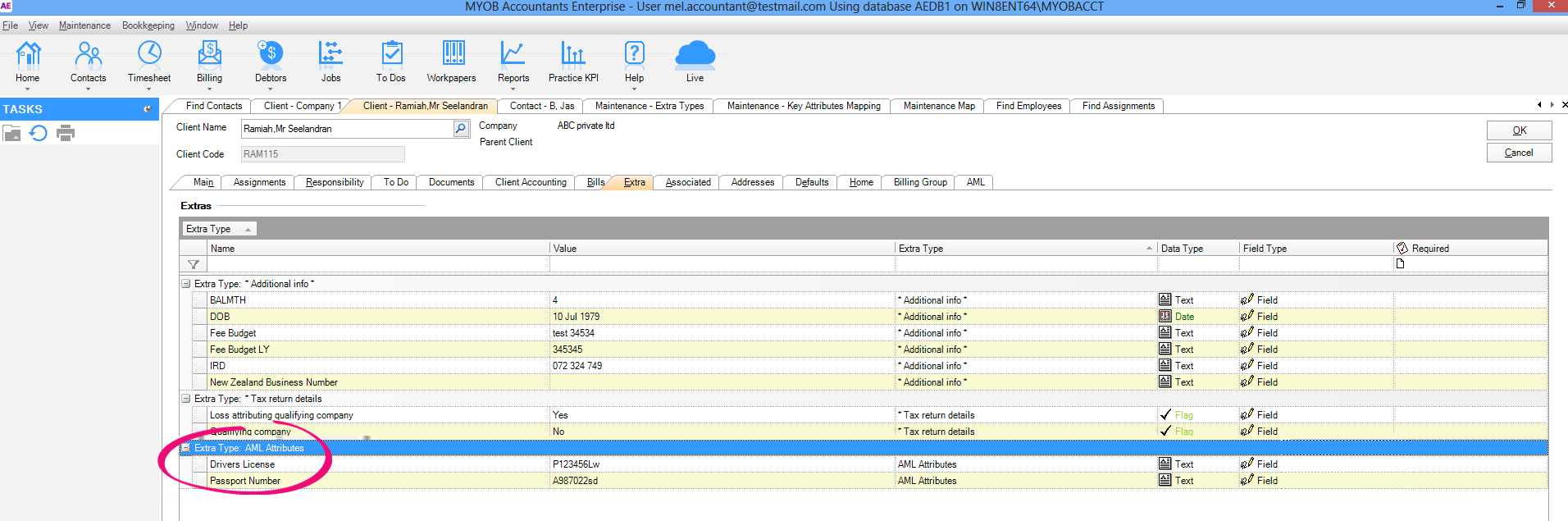
- We've added Drivers License and Passport Number to the Extra tab. These will store information used to verify the client's identity for AML.
Improvements
- In terminal server environments, if you're having trouble sending multiple statements at the same time, your template may contain non-optimised (large) images. Reduce the size of the images attached to the template, then try again.
- We've added a bulk check-in feature to the Documents > Administration homepage. The administrator must have access to the location of the files requiring check-in. This feature caters for documents checked-out by employees who have left the company.
- If you send an email from a secondary email account, and profile it to Document Manager, it will now save correctly. Previously, it would show as checked-out, and wouldn't have a Sent date.
Improvements
- In terminal server environments, if you're having trouble sending multiple statements at the same time, your template may contain non-optimised (large) images. Reduce the size of the images attached to the template, then try again.
- We've added a bulk check-in feature to the Documents > Administration homepage. The administrator must have access to the location of the files requiring check-in. This feature caters for documents checked-out by employees who have left the company.
- You can nowopeninga pdf to Bookmarks/Page/Printing in pdfDocs, but
- IfpdfDocsis already running, printing will only open the pdf document, not the print screen.
- The navigation pane is not displayed by pdfDocs, even when opening to a bookmark or page number.
MYOB Practice Solutions product version numbers:
Product | Version number |
|---|---|
(AU) MYOB AE/AO | 2018.0 |
(NZ) MYOB AE/AO | 2018.1 |
Client Accounting | 5.4.29.100 |
Corporate Compliance | 3.2 |
Document Manager | 5.4.29.100 |
Practice Manager | 5.4.29.100 |
Statutory Reporter Formats | (AU) 30 (NZ) 14 |
(AU) Tax Homepages | 7.0.7.1 |
How do I find out what version I have?
Open MYOB AE/AO.
Select Help > About from the menu bar.
Click the Plugins button to access the version number of individual products.
How do I find out my version of Statutory Reporter Formats?
Open MYOB AE/AO.
Select Maintenance > Maintenance Menu > Client Accounting > Practice Report Settings on the main menu.
The Practice Report Settings page opens.Click About on the Tasks bar.
 Yes
Yes
 No
No
 Thanks for your feedback.