Page tree

You are viewing an old version of this page. View the current version.

Compare with Current View Page History

« Previous Version 35 Next »


Close

How satisfied are you with our online help?*

Just these help pages, not phone support or the product itself

0
1
2
3
4
5
Very dissatisfied
Very satisfied

Why did you give this rating?

Anything else you want to tell us about the help?
If you're an administrator user, you can invite one or more accounting advisors to access your business information at any time. So long as they're an MYOB Partner, an accounting advisor could be your accountant or any other person that you may want to help you with your business. If they're not an MYOB Partner, you'll need to invite them as a user.

Looking for an MYOB Partner? Search here: Australia | New Zealand

Inviting an accounting advisor to become a registered user will allow them access to all of your business information directly via the internet, and enable them to work with you on your books. There’s no need to send any files, and you can continue entering invoices, payments, and so on as normal.


To invite an accounting advisor

To invite an accounting advisor

  1. Sign in to your MYOB business as an administrator user.
  2. Click your business name and choose Users.
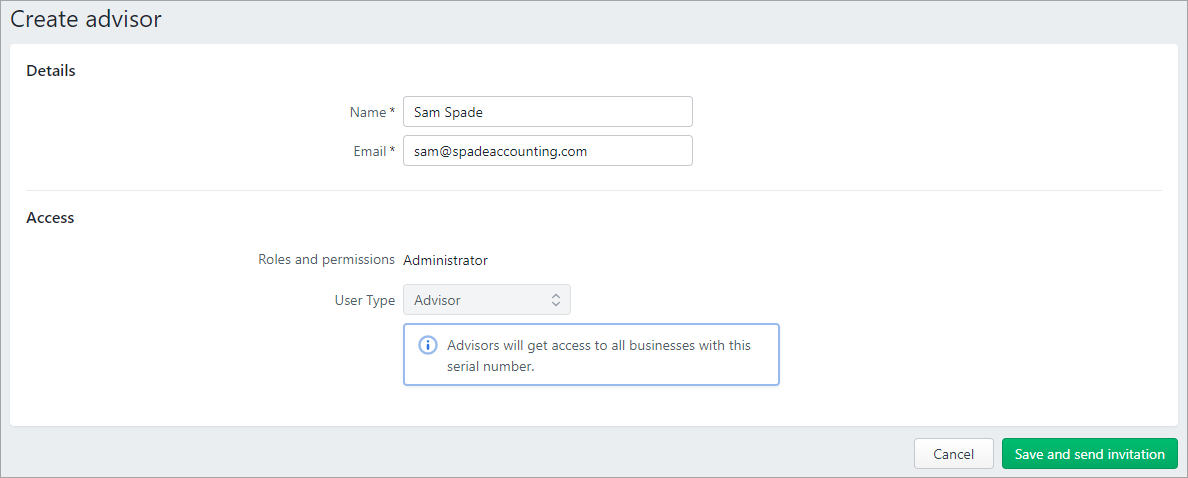
  3. Click Create advisor.

  4. Enter the advisor's Name and Email.
    The advisor will have the role of Administrator and the User Type of Advisor which gives them access to all businesses with this serial number.
  5. Click Save and send invitation. The invitation is sent to your advisor. A message appears next to the advisor's email address that the invitation is pending.

When the advisor accepts their invitation, they'll be prompted to log in with their MYOB account details or create an account.

If after a few days your advisor hasn't accepted the invitation (that is, it's still pending), this could be because the invitation has been sent to the wrong address. Check their email address and see the FAQs below for how to resend the invitation.

  FAQs


How do I resend or cancel an invitation?

How do I resend or cancel an invitation?

If you have Administrator access in MYOB, you can resend or cancel unaccepted invitations.

Here's how:

  1. Sign in to my.myob (Australia | New Zealand).
  2. In the My Details panel, click Manage users.

    Cant I see the Manage users option under My Details? This happens if you don't have sufficient online authority to invite users. Speak with the person who invited you to MYOB about your access level.

    The list of invited users is displayed.

  3. For the applicable user, click either Resend invitation or Cancel invitation.

Can I change a File user or Online Admin to an Advisor?

Can I change a File user or Online Admin to an Advisor?

If you are the Owner of the business and you realise that you've assigned your accountant or bookkeeper the wrong User Type, you can change them to an Advisor. See Edit and delete users.

Does an invitation expire?

Does an invitation expire?

No, but you can cancel or resend the invitation as described above.