

You are viewing an old version of this page. View the current version.
Compare with Current View Page History
« Previous Version 15 Next »
https://help.myob.com/wiki/x/koTtB
How satisfied are you with our online help?*
Just these help pages, not phone support or the product itself
Why did you give this rating?
Anything else you want to tell us about the help?
New features
We've added new API endpoints for:
- timesheets
- data maps
- entitlements
- posting classes
- General Ledger purposes
- pay item liabilities
- pay items
- pay details
- organisation employee (employee and employee class).
Originally available as a limited release in 2021.1.400
Shows the leave balances and liabilities for all active employees, including the payment rates at a date selected by the user.
Run this report at least once every month to check the rates and balances, and to help with auditing and financial reporting (e.g. end of financial year).
We've added three optional columns to the Entitlement Balances report so you can filter employees based on their employment dates and status:
- Employee start date
- Employee end date
- Employee current status
For those using the employee work schedule within Advanced Payroll (rather than 3rd party software) we're piloting new features to allow you to populate the schedule based on pay items imported from timesheets.
If you want to participate in the pilot please reach out to your MYOB Advanced Workforce Management partner or the MYOB customer service team.
We've added a warning message to let you know when an employee doesn't have a default pay group set.
Advanced Payroll currently sets the first pay group the user adds as the Default Pay Group on the pay details Pay Groups tab.
When the Cost Codes feature is enabled on the Enable/Disable Features (CS100000) screen, the cost code value for the new projects records added on the Projects Transactions screen defaults to the default cost code from the Cost Codes screen. This avoids the “'Cost Code' cannot be empty” error when releasing a payroll expense allocation batch.
On the Payroll Preferences screen (MPPP1100), when you select the Allocation Type = "ACC/WorkCover" checkbox with no corresponding row in the main tn system and try to save, you'll get an error "Updating 'Setup' record raised at least one error. Please review the errors.
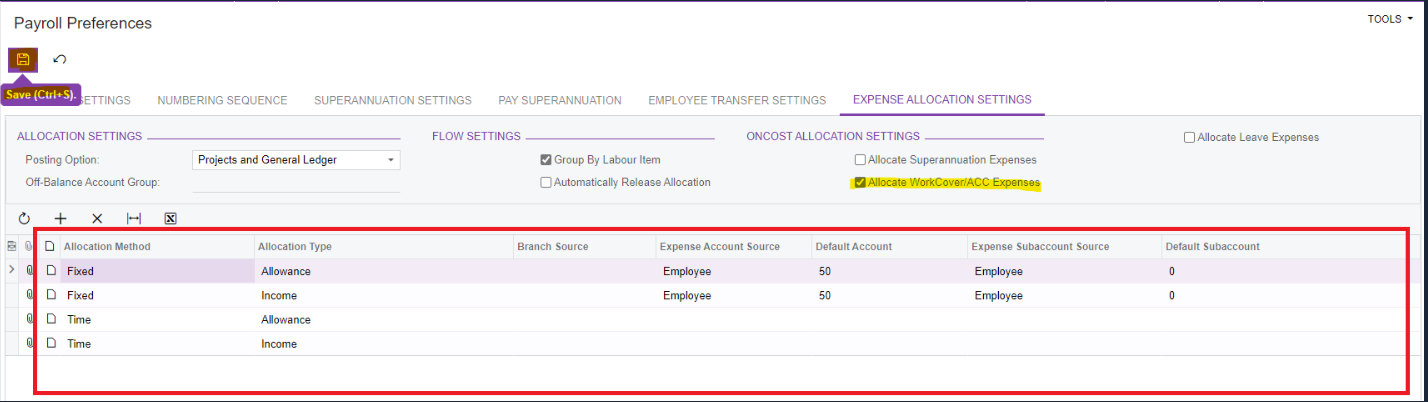
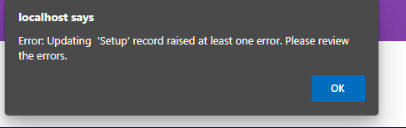
To make it faster to process large pay runs, we've added a separate process for generating payslips.
- A new “Process Payslip” screen is now available for end users which displays list of payrun IDs, employees and status of payslips if generated or not. New screen have list of actions as mentioned below under “Action” dropdown:
- Email Payslips - When selected will generate (if not generated earlier) and then emails payslips.
- Email Notification - When selected will generate (if not generated earlier) and then sends email notifications.
- Print Payslips - When selected would run the report (wont use saved report if exists) for selected payrun ID and prints the report for it.
- Generate Payslips - when selected generates payslips for Payrun IDs where Payslips were not generated and if list contains atleast on Payrun IDs with already generated payslips then it would display below pop-up.
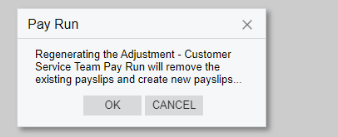
Data displayed in grid can be filtered using optional filters like “Payrun ID” , “Pay Group”, “From” & “To” Date Ranges. Further “Show all” checkbox helps to display all payrun ID irrespective of whether payslips are generated or not. Further a dialogue box shows the success/failures of items being processed for the selected action.
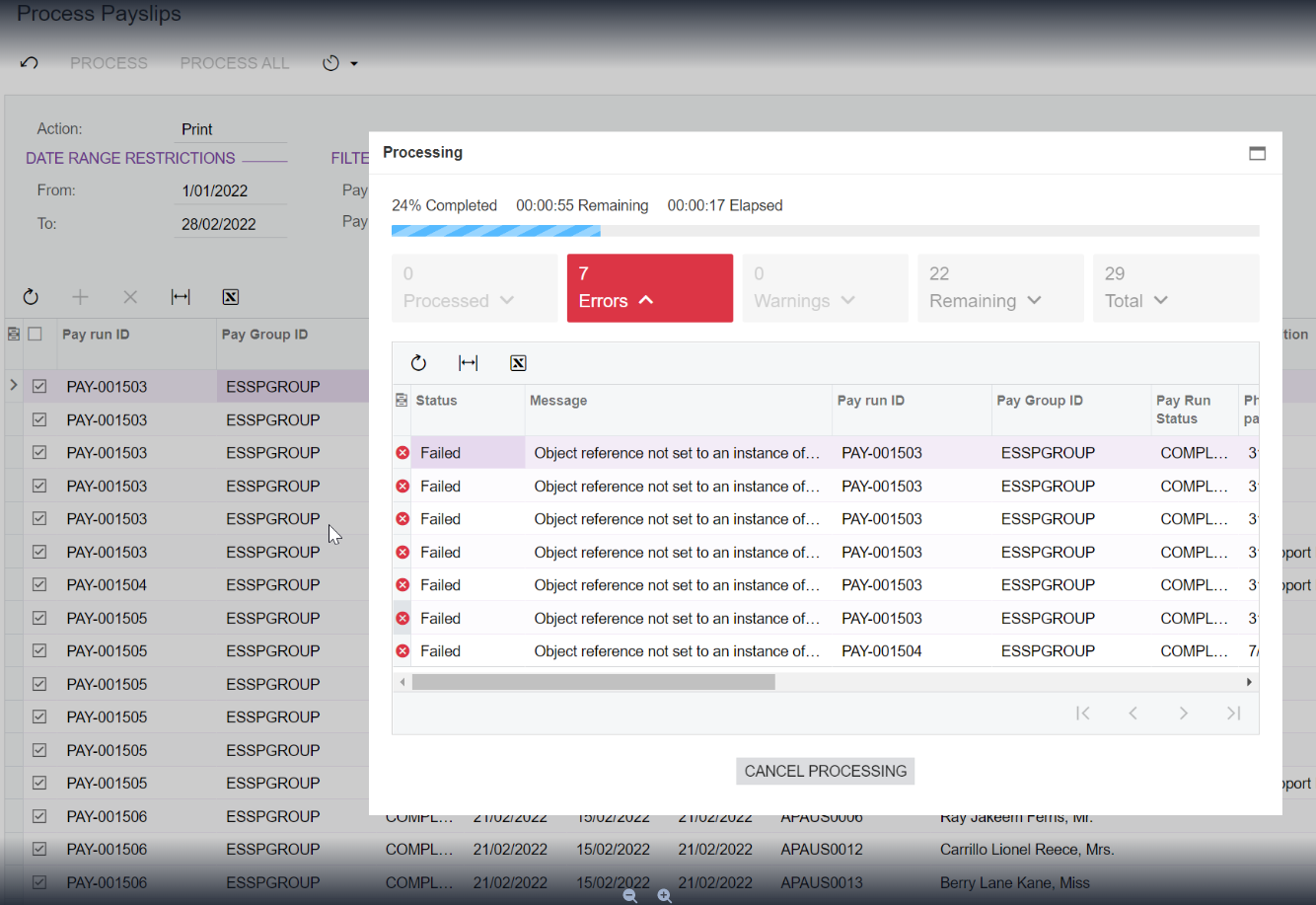
- On Payroll Preferences screen (MPPP1100), under GENERAL SETTINGS - PAYSLIP Settings: a new dropdown “Generate Payslip during” got added which lists “Payrun Completion” which is default option selected and “Payslip Processing”. These options makes payslip generation as option on completion of Payrun which helps to control Payslip generation. When Share Payslips option is selected, the system shows the Text “Payslips are only available once they are generated via the Share Payslips screen.” next to the dropdown.
When user selects new Payslip in Payroll Preference screen and tries to perform below actions, then user is redirected to new “Process Payslip” screen.
MPPP3120 Pay Run Details screen Process\Preview Payslips action.
MPPP3400 Batch Payments screen Payslips action.
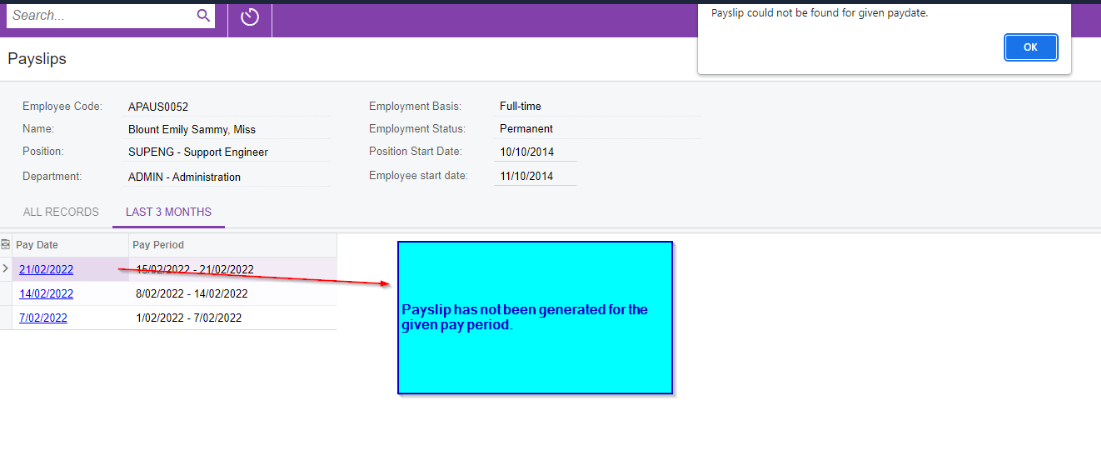
- In the ESS Payslips screen MPES3014 when the Payslip is not generated for the period and user clicks the hyperlink related to that people then a pop-up with the error “Payslip could not be found for given paydate.” gets displayed.
When user creates Employee Record and go to Pay Details enter the TFN Number system throws an error saying this TFN Number is already in use. System now supports Employees working in more than one company in the same tenant i.e. employer now have the ability in MYOB ADVP system to have multiple employee records in the same tenant but assigned to separate companies since the employee works in 2 companies. These pays can now be processed successfully and reported to ATO via STP successfully.
The TFN and ABN number combination will need to be unique. The TFN can be used for multiple entities as long as it is unique per ABN. There will be two employee records with the same pay distribution details linked to different branches. There will be a bank file for each branch. There is a customization in play to consolidate the bank export files into 1 file, in which case there will be two line items for the employee. This should not impact the validation.
We've added an option to switch all employees to a new fund, to make it easier when fund names or other details change. This also changes the super fund information for completed pays that haven't been put in a pay super batch. This functionality is for APRA, SMSF funds and also applies if Super is sent via SAFF.
Previously, when the details of a super fund changed, Pay Super created a new fund record in the services fund lookup, with a unique SCFI code. This meant you had to relink all employees using that fund to the new record. You also couldn't add the new fund if it shared a USI, so you'd have to change them to a third fund first. This also meant you couldn't update completed pays before putting thrm in a batch for pay super without adjusting all the related pays.
Previously, the shifts for employees working overnight were incorrectly split into two.
New changes in system would allow end user to join partial shifts as one single continuous shift based on “treat overnight settings: startsOn/EndsOn/Majority/Portion.” in system as shown below and further a flexibility to consider midnight timesheets as continuous'.

Following the Holidays Act 2003, we've removed the dependency on lookback periods start date for AWE/OWP average weekly calculations.
This means that for employees with less than 12 months of continuous employment, the system now looks back at a maximum of 52 weeks until the employee start dates (but not until trigger date) for AWE rate calculations, and at a maximum of 4 weeks until the employee start date (but not until trigger date) for OWP rate calculations.
We've made some security improvements to fulfil the requirements of the ATO Digital Service Provider Operational Framework:
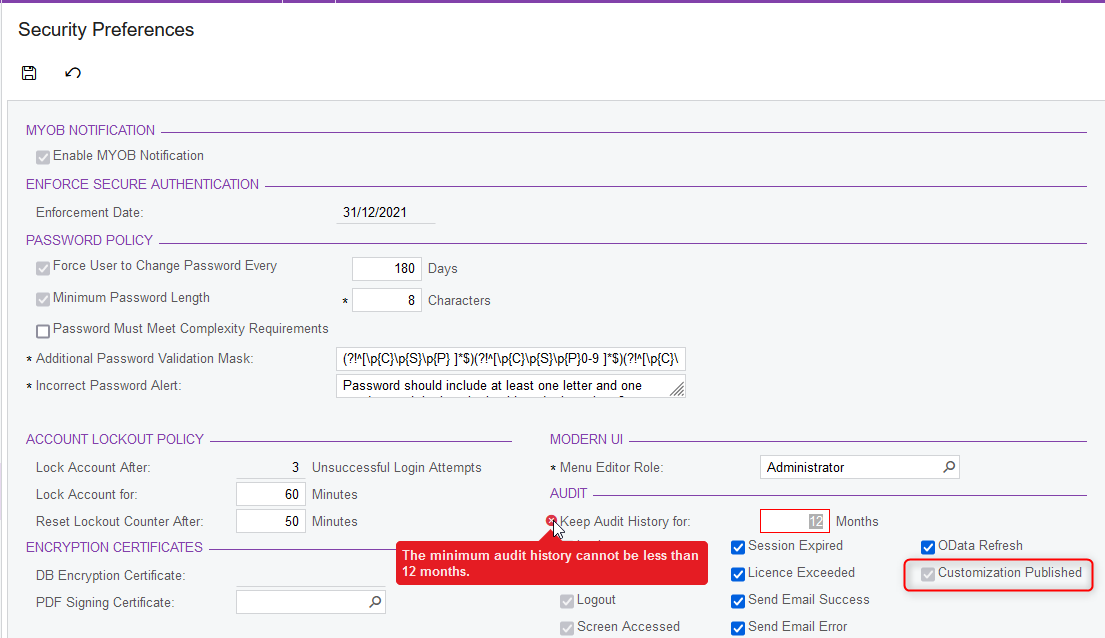
The number of months in the “Keep Audit History For” field on the Security Preferences screen cannot be set to less than 12, thus preventing any user from deleting the recent audit history from the Access History page.
The default number of months for a new site will be set to 84
Audit history about published customisations is now always turned on by default and made read-only.
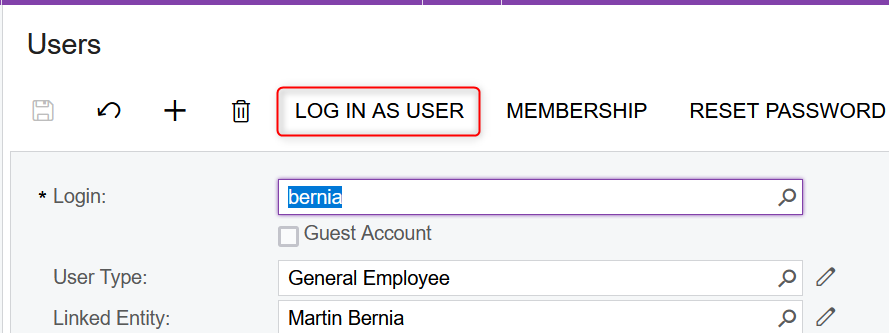
- The button “Log in as user” on the Users screen that allowed user impersonation is now hidden.
Originally available as a limited release in 2021.1.6.
Fixes
A variety of bugs and other issues raised with our support team have been resolved in this release. We'll update this page with details soon.