
Child pages
  • Authorise MYOB for payday filing as a delegated user

You are viewing an old version of this page. View the current version.

Compare with Current View Page History

« Previous Version 3 Next »


Close

How satisfied are you with our online help?*

Just these help pages, not phone support or the product itself

0
1
2
3
4
5
Very dissatisfied
Very satisfied

Why did you give this rating?

Anything else you want to tell us about the help?
New Zealand only 

You'll need to use your myIR account user ID and password to authorise payday filing submissions from your MYOB Essentials to Inland Revenue. This is a one-off process to establish a link between your MYOB Essentials and Inland Revenue. There are 2 different times when you can authorise MYOB for payday filing:

Authorise at any other time - delegated user / business set up already

Each person who will be submitting payroll information as part of payday filing must authorise MYOB Essentials using their myIR account details. If your business has set up payday filing already, you need to do this by:

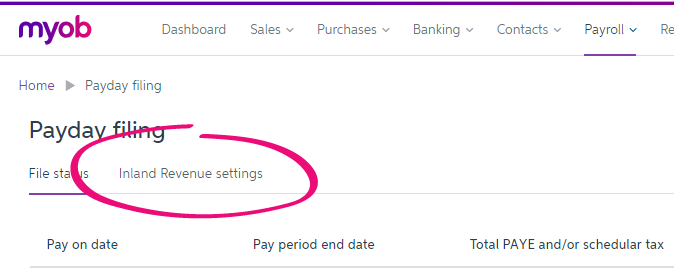
  1. Go to Payroll > Payday filing.
  2. Click Inland Revenue settings.

  3. Click Authorise MYOB.
    myIR login page opens.
  4. Enter your myIR user ID and password.
  5. On the Consent Management page, click Authorise.
    myIR closes.
  6. Click Finish.


From the community

Could not retrieve http://community.myob.com/myob/plugins/custom/mindyourownbusiness/myob/custom.myob.search-endpoint-rss?advanced=false&allow_punctuation=true&filter=location&location=forum-board%3ANzpay&q=payday+filing - Page not found.


