Child pages
  • Deactivating or reactivating employees

You are viewing an old version of this page. View the current version.

Compare with Current View Page History

« Previous Version 13 Next »


Close

How satisfied are you with our online help?*

Just these help pages, not phone support or the product itself

0
1
2
3
4
5
Very dissatisfied
Very satisfied

Why did you give this rating?

Anything else you want to tell us about the help?
Once you save an employee in MYOB Essentials, you can't remove (delete) them. But if the employee is no longer needed in MYOB Essentials, for example you've processed their final pay, you can mark them as Inactive. This prevents the employee appearing in selection lists and excludes them from some reports. It also lets you reactivate their record if needed.


To mark an employee as inactive
  1. From the Payroll menu, choose Employees.
  2. Click the employee to be made inactive.
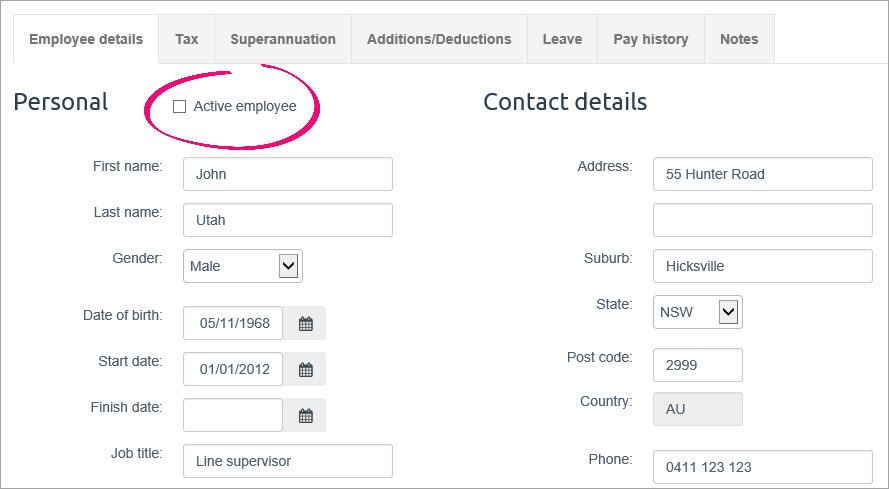
  3. On the Employee details tab, deselect the Active employee option.
    Employee record with active employee option deselected

  4. Click Save.
To reactivate an employee

In New Zealand? If you've done a final pay you won't be able to reactivate the employee. Instead, you'll need to create a new employee record.

  1. From the Payroll menu, choose Employees.
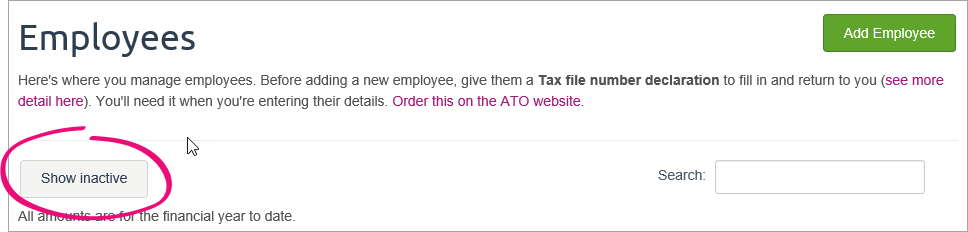
  2. Click Show inactive.
    Employees page with show inactive button highlighted
  3. Click the employee to be reactivated.
  4. On the Employee details tab, select the Active employee option.
  5. Click Save.

 
delete employee
 
From the community

Could not retrieve http://community.myob.com/myob/rss/search?q=set+up+employees&filter=labels%2Clocation%2CsolvedThreads&location=forum-board%3AEssentialsAccounting&nospellcheck=true&search_type=thread&solved=true - Page not found.