Payroll in your upgraded MYOB Essentials is very similar to payroll in your old MYOB Essentials. But, if you've been using the MYOB super portal to pay your employees' super, you'll need to switch over to the Pay Super service.
There's also a few differences in pay runs and pay items you need to know about.
Doing a pay run
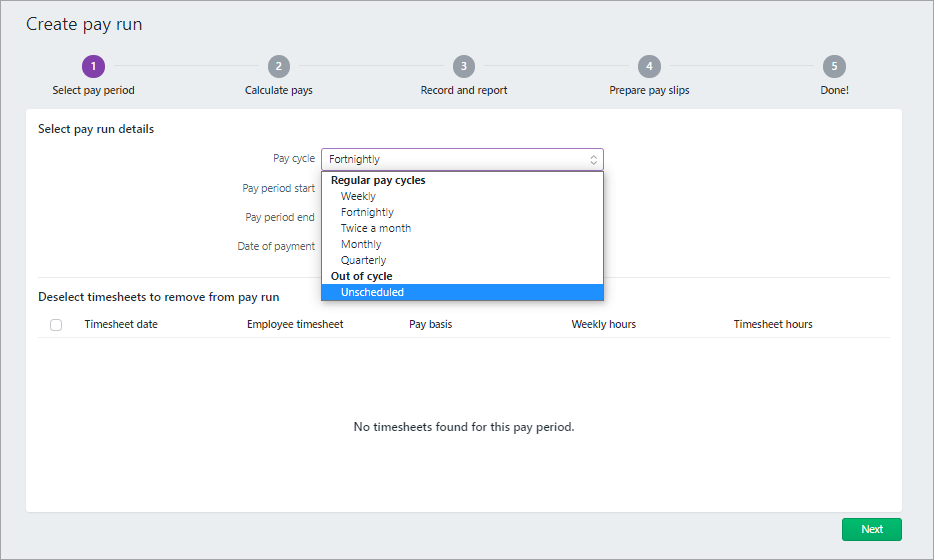
You have the new pay cycle options, Twice a month and Quarterly:
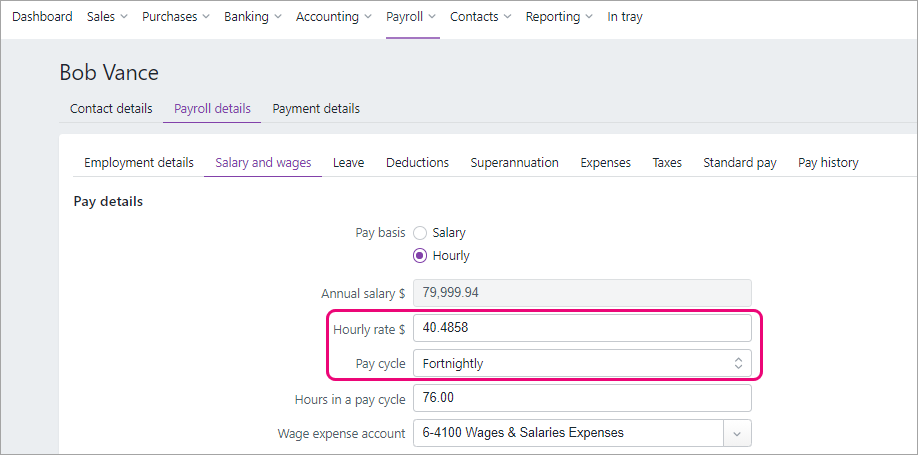
In each employee card (Payroll menu > Employees > Payroll detail tab), the Hourly rate and Pay cycle are based on their last recorded pay before the upgrade:
Superannuation
In your previous MYOB Essentials, you may have paid employee super using MYOB's super portal. In the new MYOB Essentials, you pay super using the Pay Super service. Like MYOB's super portal, Pay Super is SuperStream compliant. It's easier to make super payments using Pay Super and you get a clearer view of the status of your payments.
There's some one-off tasks to set up Pay Super – see Set up Pay Super.
What about previous MYOB super portal payments? Do they come across in the migration? Where can they be viewed? Check with Tristan.
Pay items
Just as in your old MYOB Essentials, you use pay items to calculate the different parts of an employee's pay, like wages, leave, deductions, superannuation and tax. There's a number of changes to pay items you should be aware of.
Additional super
During the upgrade, the names of the super pay items, Super salary sacrifice and Super personal contrib'n, are changed to Salary Sacrifice and Employee Additional as these are the default names for these types of pay items in the new MYOB. If you want, you can edit these pay items and change them back to their original names. These pay items, which were previously in the Deductions section of the employee, are now in the Superannuation tab of the employee (Employee > Payroll details > Superannuation).
In your old MYOB Essentials, you couldn't set up reportable employer additional super contributions. In the new MYOB Essentials you can, by creating an Employer Additional pay item and assigning an ATO reporting category to it. See Additional superannuation contributions.
Super and leave calculations
Any new pay item you create in the new MYOB Essentials will be automatically set to be included in all super and leave calculations. This differs from old MYOB Essentials, where the pay item was excluded by super and leave calculations by default.
If you want to exclude a pay item from super or leave calculations, you need to edit the relevant super or leave pay items and add the pay item you've created to the list of exempted pay items:
<SCREENSHOT>
Want to learn more about what's different in your new MYOB?
For more information on the upgrade of MYOB Essentials:



 Yes
Yes
 No
No
 Thanks for your feedback.