

- Created by admin, last modified by AdrianC on May 20, 2016
https://help.myob.com/wiki/x/9IOi
ANSWER ID:128
If you have an office or store, you can show your opening hours on your website homepage and let customers know when they can visit.
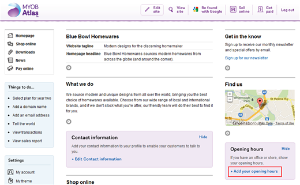
- Click Add your opening hours in the Opening hours section on the right of your homepage.
- On the Opening hours page, complete the following fields:
- Opening hours title: the default title is Opening hours, but you can edit it to suit your business (for example, Trading hours or Office hours).
Opening hours: enter your opening hours in the Day and Hours fields. For example, your opening hours may look similar to the below:
Monday-Friday 9:00am-5:00pm Saturday 10:00am-3:00pm Sunday Closed If your opening hours vary each day, use the Add link to add more Day and Hours fields.
Additional notes: use this field to provide extra information about your opening hours (for example, your opening hours on public holidays, or how your customers can contact you outside of your opening hours).
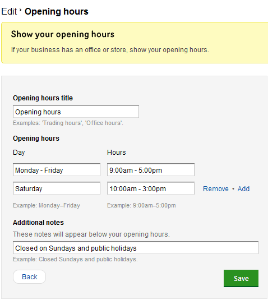
Once you're finished, click Save.
- Click the Edit settings link at the bottom of the Opening hours section.

- If your opening hours vary each day, use the Add link to add more Day and Hours fields.
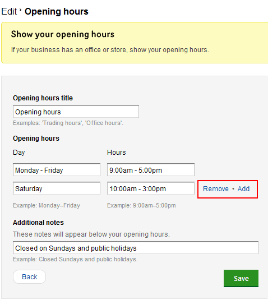
- Once you're finished, click Save.
FAQs
Yes, you can set the Content visibility settings for this feature so that your opening hours are hidden from your website. For more information, see Setting visibility options for your website content.