Page tree

You are viewing an old version of this page. View the current version.

Compare with Current View Page History

« Previous Version 4 Next »


Close

How satisfied are you with our online help?*

Just these help pages, not phone support or the product itself

0
1
2
3
4
5
Very dissatisfied
Very satisfied

Why did you give this rating?

Anything else you want to tell us about the help?
If an employee has been injured and is unable to work, you can claim their wages on WorkCover. Your insurer will be able to advise what length of time is eligible to be claimed.

Generally, the employer pays the employee on their normal periods and only their base wage. Then, the employer periodically sends information to their Insurer of what has been paid in that period. The period is determined by the Insurer and should be issued when they are informed of a pending WorkCover claim. The Insurer will then reimburse the Employer for that period - they may or may not reimburse the full amount of the employee's wages.

For all WorkCover related queries, refer to the relevant authority in your state or territory. Adding additional payroll categories may affect your superannuation and tax obligations so you should always check with your relevant authority to determine if any exemptions apply.

1. Create a new Expense Account in the Accounts List
  1. Go to the Accounts command centre and click Accounts List.
  2. Click the Expenses tab.
  3. Click New.
  4. Choose a new account number, preferable close to your existing Wages and Salaries account.
  5. Enter the Account name - Wages Paid on WorkCover or similar.
  6. Click OK
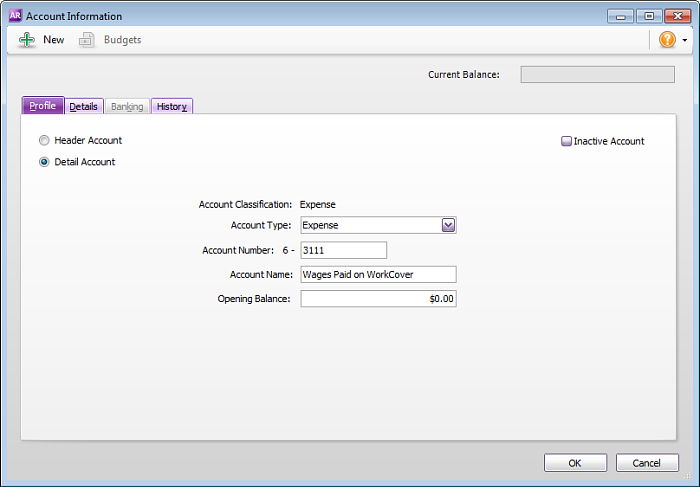
  7. Repeat steps 3 - 6 to create a new Expense account called WorkCover Reimbursement. See our example accounts below.


2. Create a new Wage Category
  1. Go to Payroll command centre and click Payroll Categories.
  2. Click the Wages tab then click New.
  3. Enter the Wages Name - Wages Paid on WorkCover.
  4. Ensure the Type of Wages option is set to Salary.
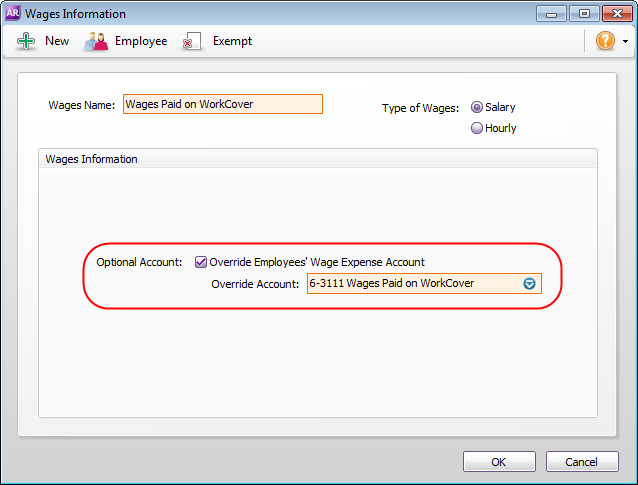
  5. Select the option Override Employee's Wage Expense Account.
  6. Select the Wages Paid on WorkCover Expense Account created in Task 1 above. See our example below.
  7. Click Employee and select the employees to whom this category applies.
  8. Click OK to save the new category.
3. Pay the employee through process payroll
  1. Enter the employee's pay as normal through Payroll command centre.
  2. Enter the amount against the Wages Paid on WorkCover Wage category instead of the Base Hourly or Base Salary as shown in the following example.
4. Enter the Reimbursement received from WorkCover
  1. Go to the Banking command centre and click Receive Money.
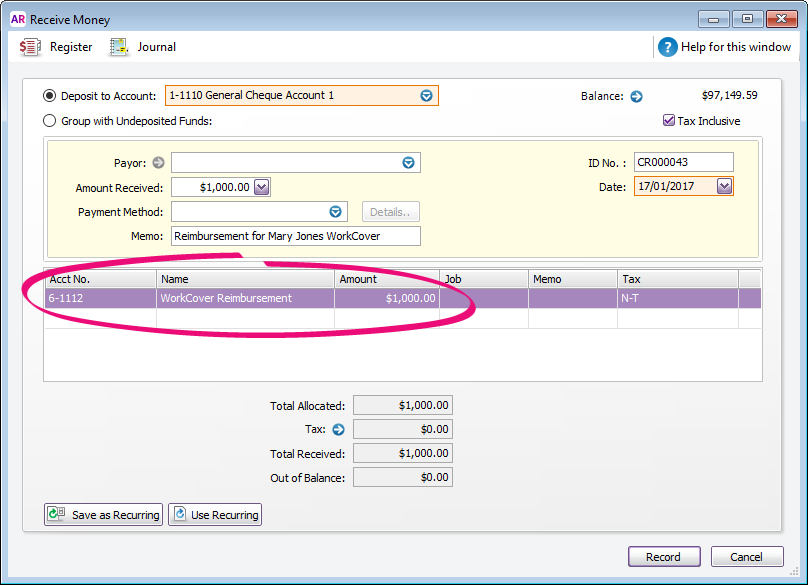
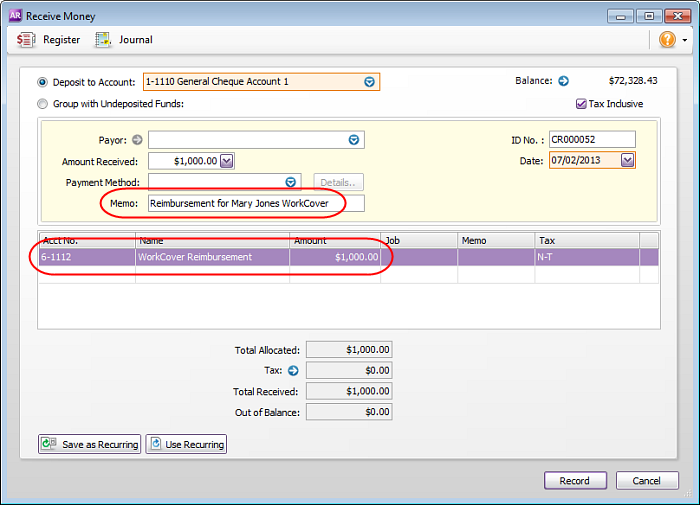
  2. Allocate the amount received from WorkCover to the WorkCover Reimbursement Expense account.
  3. Enter an appropriate Memo to explain what the payment is for. See our example below.

  FAQs


Why do I have a negative balance after creating my expense account for reimbursement?

The negative balance will offset against the Wages Paid on WorkCover expense account. The advantage of completing this task this way is that you can clearly see how much in wages are paid to the employee and how much you have been reimbursed by WorkCover and easily identify any short fall.

 
From the community

Could not retrieve http://community.myob.com/myob/rss/search?q=Entering+a+sales+transaction&filter=labels%2Clocation%2CsolvedThreads&location=forum-board%3ASales_and_Purchases&search_type=thread&solved=true - Page not found.