

- Created by JohnW, last modified by AdrianC on Jun 27, 2016
You are viewing an old version of this page. View the current version.
Compare with Current View Page History
« Previous Version 113 Next »
https://help.myob.com/wiki/x/6Q_y
How satisfied are you with our online help?*
Just these help pages, not phone support or the product itself
Why did you give this rating?
Anything else you want to tell us about the help?
(Resolved) Known issue 27/06/2016 3:08pm AEST
A few users reported that they couldn't log into their online company file. This has now been resolved.
For more information check our community forum.
Having connection issues in the evening?
We've had reports that some people are getting connection errors between 7pm and 9pm AEST. This is the peak time for internet traffic and some Internet Service Providers can be impacted more than others. If this sounds like you, try changing to a Google DNS as described below.
What causes connection errors?
Connection errors like these occur when AccountRight is unable to connect to your company file:
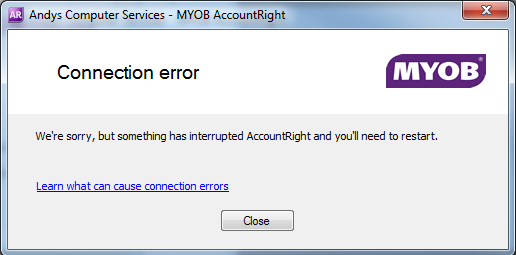
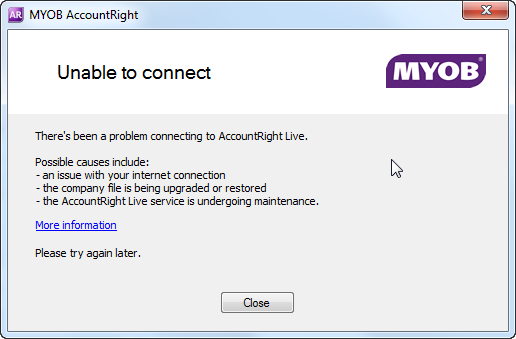
These errors can be caused by:
- Internet Service Provider (ISP) outages.
- scanning software on your computer interfering with the internet connection
- scheduled maintenance on the AccountRight servers. Before and during scheduled maintenance we’ll add a notice to the top of this help page
Fixing connections errors
There’s a couple of things you can do to fix connection errors.
Connection errors can also be caused by problems with your internet connection. Even if you don't experience internet dropouts, your Internet Service Provider (ISP) may have issues with their DNS servers, particularly at peak times (in the evening). This can cause websites to load slowly or not at all.
The Domain Name System (DNS) protocol is an important part of the web's infrastructure, serving as the Internet's phone book: every time you visit a website, your computer performs a DNS lookup. Complex pages often require multiple DNS lookups before they start loading, so your computer may be performing hundreds of lookups a day.
If this sounds like you, try switching to a third-party DNS. We recommend using google DNS settings as we have seen this improve reliability. Here's how:
The below steps are based on a basic network setup. In a corporate environment, you should check with your IT department before making any changes.
- Close AccountRight
- Press the windows Start key on your keyboard (between the Ctrl and Alt keys).
- In the search box, type Network and Sharing Center
- Click Network and Sharing Center.
- Click Change adapter settings.
- Right-click on your active network connection (the one you're currently using for internet access) and choose Properties.
- In the list of items, click to highlight Internet Protocol Version 4 (TCP/IPv4) then click Properties.
- If any details are displayed under Use the following DNS server addresses, take a note of these details.
- Select the option Use the following DNS server addresses, then enter the following details:
Preferred DNS server: 8.8.8.8
Alternate DNS server: enter the value for your IPv4 Default Gateway which you noted in the previous task. If this information was NA, enter 8.8.4.4 - Click OK and close all windows.
- Start AccountRight and open your company file.
If you're still experiencing issues try our extensive DNS change guide (you might need help from an IT professional).
We’ve found a common cause of connection errors is security software or virus checkers. This type of software often run checks on the communication channels used by AccountRight which can cause interruptions.
Not only can this cause connection errors, it can affect AccountRight’s speed and performance. But you can prevent your security software from interfering with AccountRight by setting up exclusions. See Speed and performance tips for more details.
 Yes
Yes
 No
No
 Thanks for your feedback.